Skip to content
Recovstick Claim Up To 57% Off

Quad-Port Flash Hub · Lightning, USB-C, Micro-USB & USB-A · Offline Speed

Recovstick Pro 4-in-1 Backup Drive

Plug one pocket-sized solid-state vault straight into your iPhone, Android phone, tablet, or laptop to move thousands of photos and videos offline without cloud fees.

Claim Up To 57% Off — View Packages

From $47.21 per unit Up to 57% off

  • 4 PortsLightning, USB-C, Micro & USB-A
  • 0 Clouds100% private offline transfers
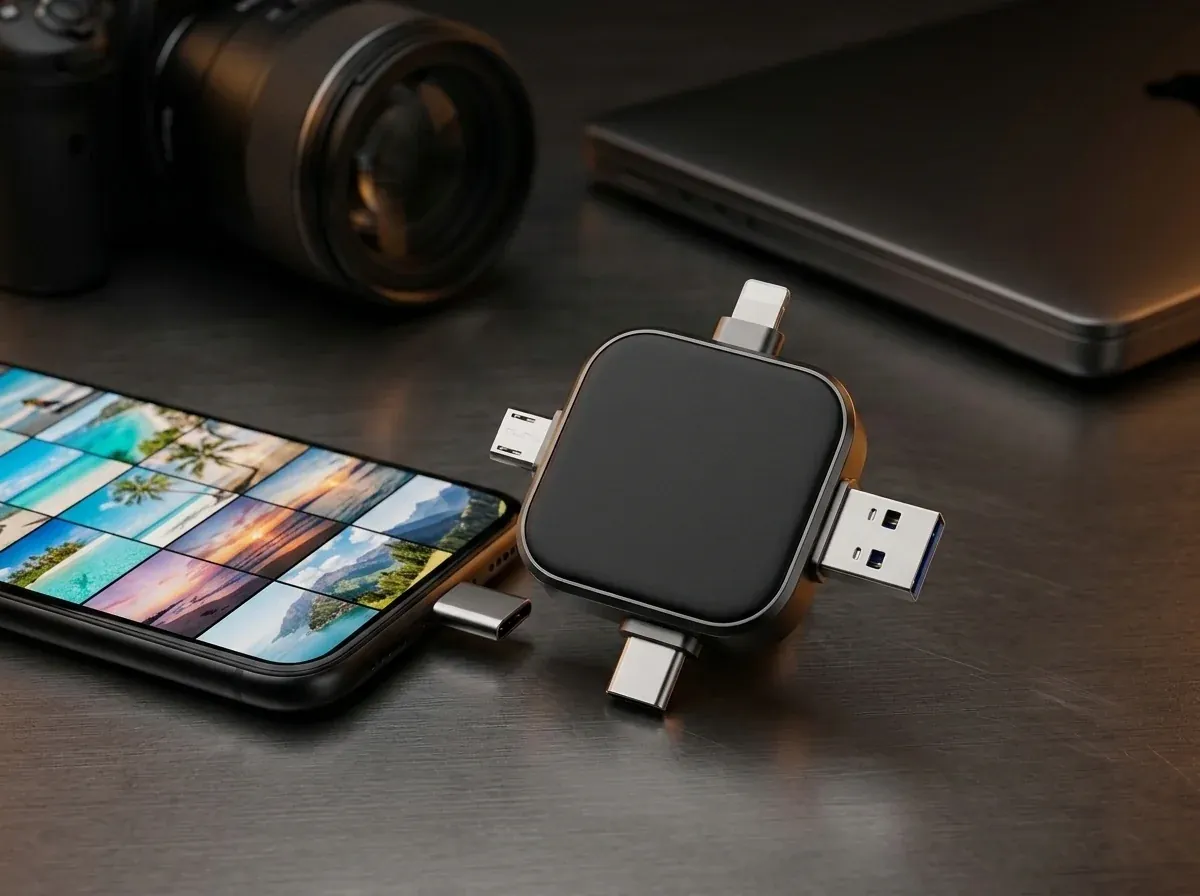
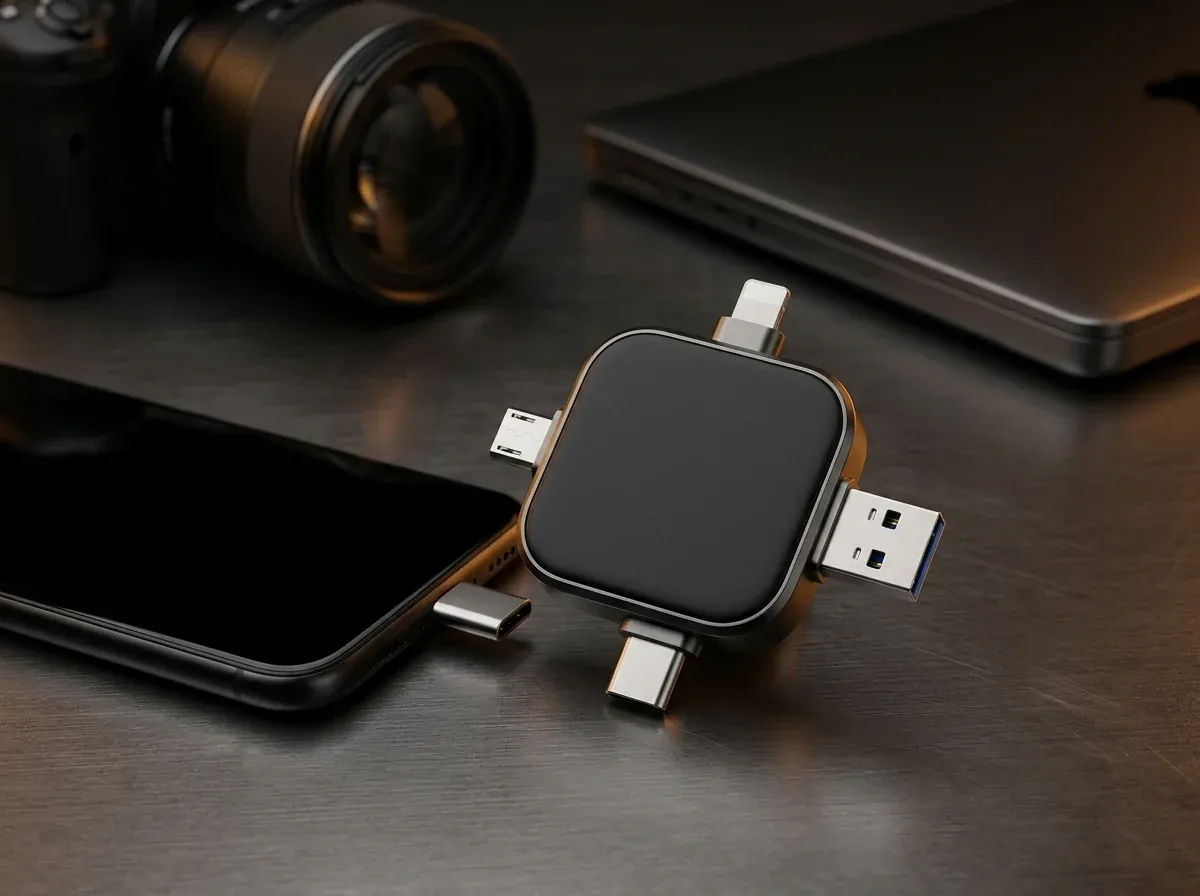
Matte-black 4-in-1 Recovstick Pro flash drive on a dark studio desk beside a smartphone, laptop, and camera lens
  • iOS 13+Plus OTG Android, Windows & Mac
  • 30 DaysMoney-back guarantee

4.8

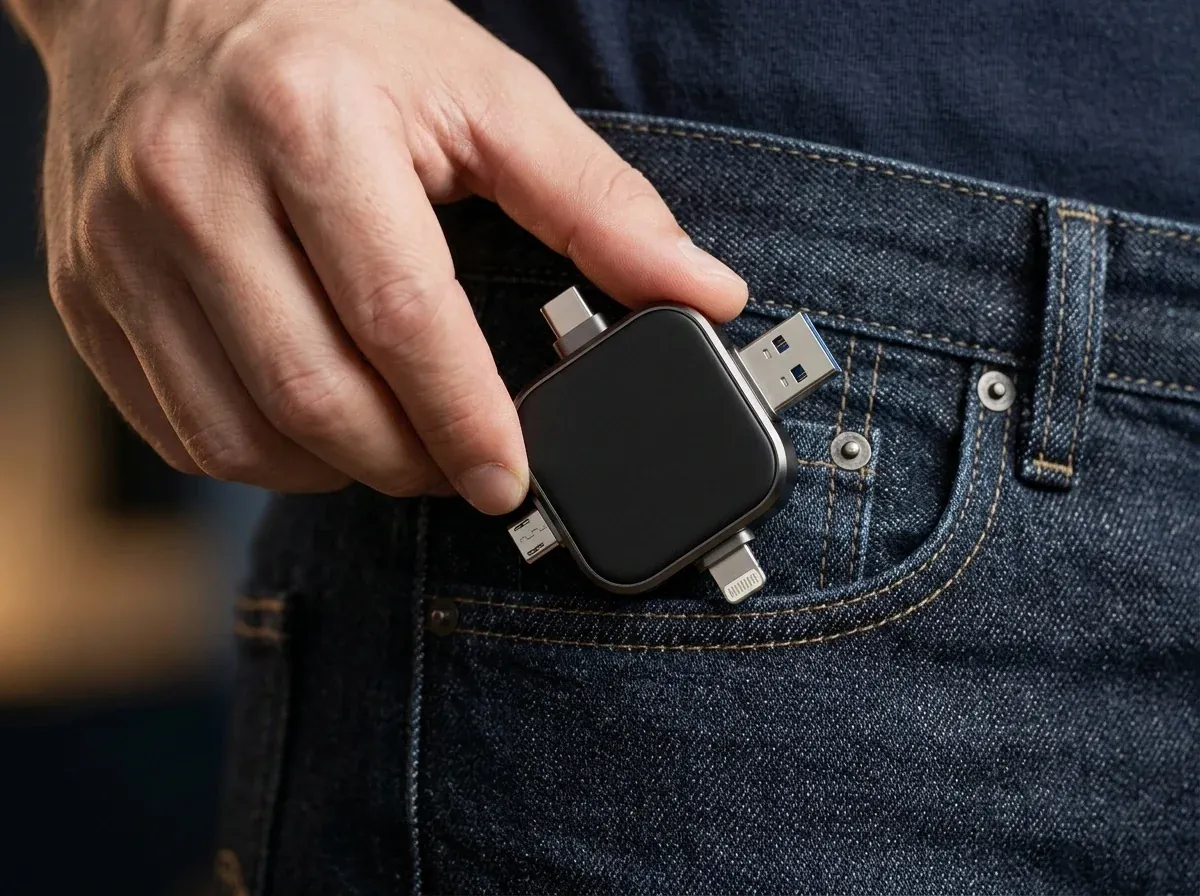
  • Built-in Lightning, USB-C, Micro-USB, and USB-A tips
  • Works with iOS 13+ iPhones, OTG Androids, PCs & Macs
  • Direct hardware transfers with zero monthly cloud bills
  • Up to 57% off + 30-Day Money-Back Guarantee

At a glance

Why Cloud Subscriptions and Dongle Pouches Slow You Down

When your camera roll hits 100% capacity at a wedding or on a flight, slow Wi-Fi uploads and missing adapter cables will not help.

Every modern smartphone captures crisp 4K video clips and burst portraits that eat through internal storage at record speed. Usually, the warning banner appears right when you are trying to film a family milestone—leaving you stuck between deleting older videos on the spot or signing up for yet another monthly cloud billing tier.

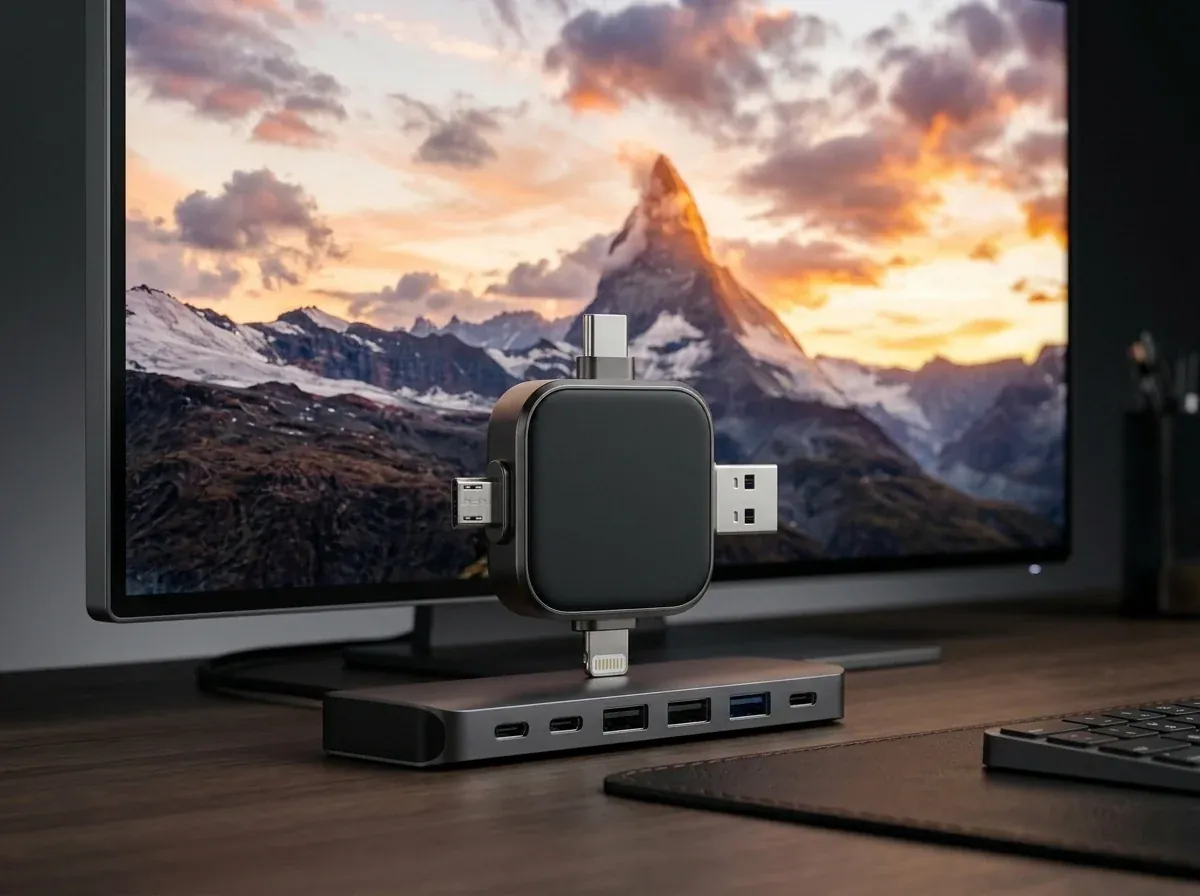
Recovstick Pro solves storage bottlenecks at the hardware level. Molded as a sleek dark-alloy cross hub with four permanent connectors (Lightning, USB Type-C, Micro-USB, and full-size USB-A), it connects directly to the charging port of your phone or computer so you can copy gigabytes of photos, videos, and PDFs onto physical flash memory in minutes—no internet signal, cables, or recurring subscriptions required.

  • Reclaims gigabytes of phone storage space in minutes wherever you are
  • Moves uncompressed 4K video between iPhones, Androids, MacBooks, and PCs
  • Reads legacy OTG Micro-USB phones as easily as brand-new USB-C flagships
  • Keeps sensitive tax records and family albums on hardware inside your own drawer
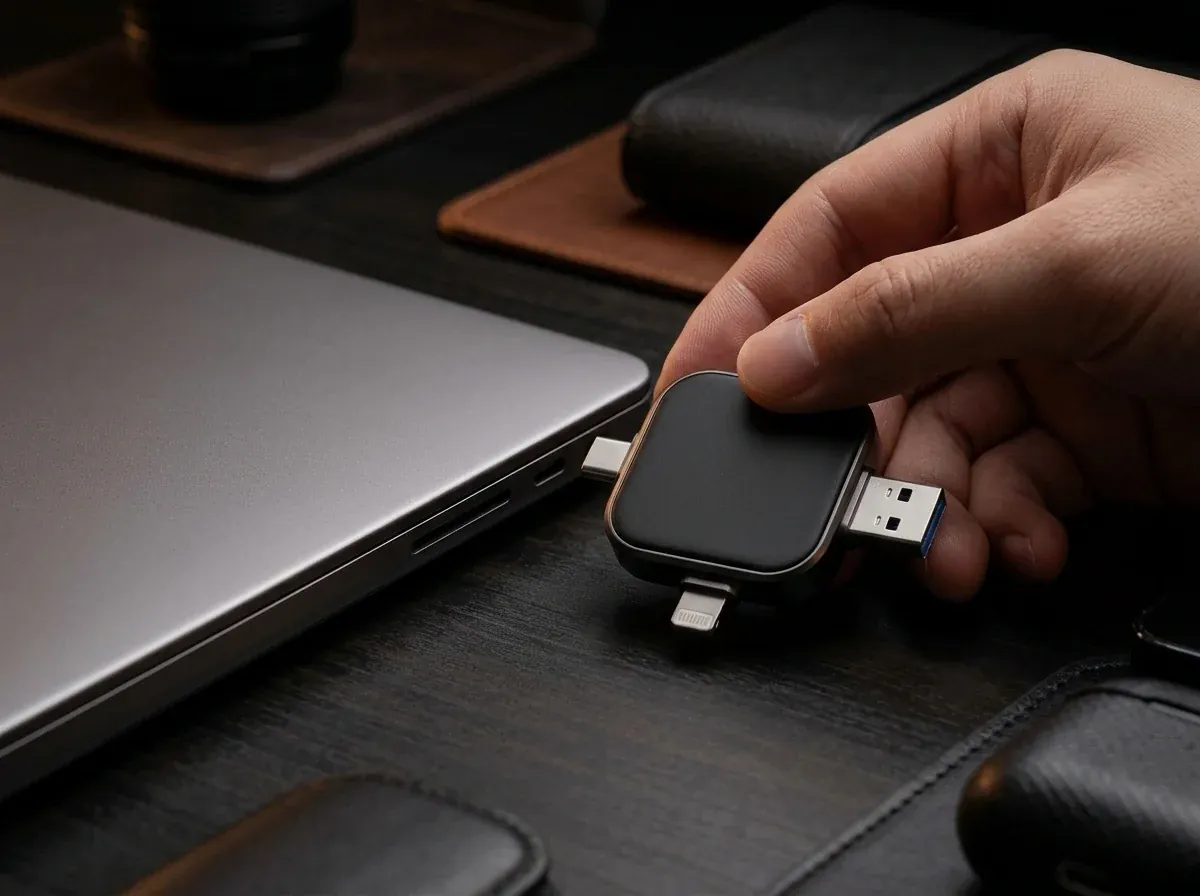
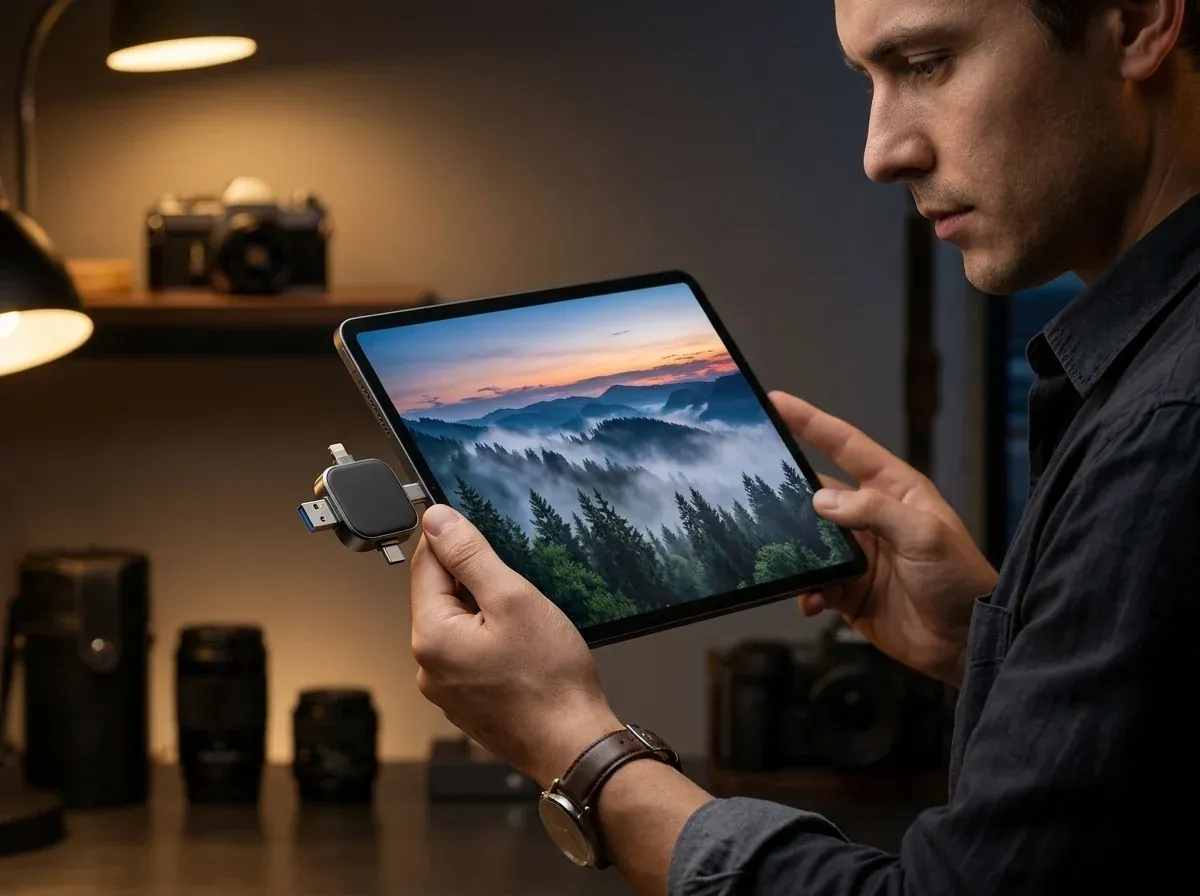
User plugging the Recovstick Pro 4-in-1 flash drive into a laptop on a modern workspace to organize smartphone photos
Four permanent hardware ports let you bridge any phone, tablet, or computer in seconds.

How it works

Inside the Recovstick Pro Quad-Interface Architecture

Engineered for fast local bus transfers, cross-brand compatibility, and zero-cloud privacy.

  1. 01

    Four Permanent Connectors on One Solid-State Hub

    Ordinary thumb drives only fit one type of port, forcing you to buy separate plastic adapters that vanish into the bottom of your backpack. Recovstick Pro arranges four precision-machined connectors around a single matte-black alloy core: Apple Lightning for iPhones and classic iPads, reversible USB Type-C for modern phones and laptops, Micro-USB for older OTG Android devices, and rectangular USB-A for desktop towers. Every port accesses the exact same internal memory pool so files move effortlessly between generations of hardware.

  2. 02

    Guided iOS 13+ App & Native Android OTG Workflow

    Backing up a crowded camera roll takes only a few taps even if you do not consider yourself tech-savvy. On Apple devices running iOS 13 or newer, you install the free companion utility once, plug in the Lightning or USB-C connector, and check off the albums or videos you wish to copy. On OTG-capable Android phones and tablets, no extra app download is required—just open your pre-installed Files manager, select your camera folder, and copy straight to the external Recovstick Pro volume.

  3. 03

    Airplane-Ready Offline Speed & Complete Data Privacy

    Waiting for twenty gigabytes of vacation videos to crawl up to a cloud server over hotel Wi-Fi can take all night, and roaming cellular uploads quickly drain both your battery and your data plan. Because Recovstick Pro communicates directly across your phone’s physical data pins, transfers run at local hardware speeds with zero internet connection. You can clear your camera roll at 35,000 feet in Airplane Mode while keeping private family moments and financial PDFs off third-party cloud servers. Whether you are commuting on a train or camping off-grid, your personal files move at full solid-state speed.

  4. 04

    Instant Drag-and-Drop on Windows PCs & Apple Macs

    Once you have offloaded photos from your phone or rescued forgotten snapshots from an old drawer handset, archiving them on your home computer is completely plug-and-play. Insert either the full-size USB-A end or the USB-C end into any Windows desktop, MacBook, or iMac. Your operating system mounts Recovstick Pro immediately like a standard external drive—ready for you to organize folders by year, import clips into editing software, or hand a physical backup copy to grandparents. Keeping an organized physical copy in your desk drawer ensures a hardware crash never erases your memories.

In real life

One Pocket Tool for Every Phone, Tablet & Computer You Own

See why 3,758+ photographers, travelers, and families keep Recovstick Pro in their everyday carry.

Chapter 1

Cross-Generation Rescue

Consolidate Old Micro-USB Phones, iPhones & Laptops Without Cables
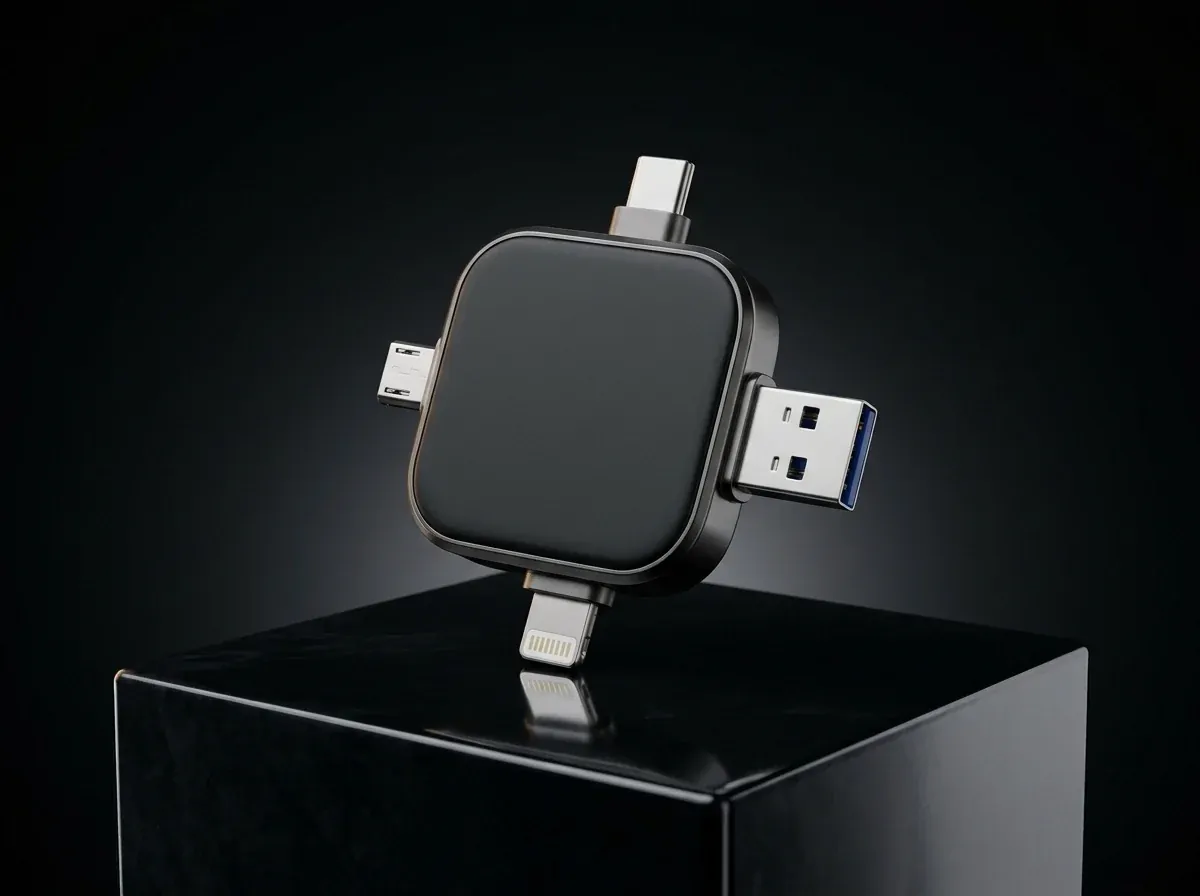
Close-up of the matte-black Recovstick Pro floating above a dark pedestal showing all four metal connectors

Almost every household has a drawer holding an older Android phone with a Micro-USB port, a spouse’s Lightning iPhone, a newer USB-C tablet, and a desktop computer with standard USB-A sockets. Moving full-resolution family videos across those four different ports usually means hunting for old cables or settling for blurry messaging-app compression.

Recovstick Pro bridges all four standards in a single palm-sized square. You can plug the Micro-USB tip into an older OTG-enabled Android handset to pull off years of irreplaceable family photos, add recent 4K clips from an iOS 13+ iPhone via the Lightning or USB-C tip, and then slot the USB-A side straight into your home PC or smart TV media port. Every photo and video stays at 100% original resolution with zero cloud logins, zero email attachment limits, and zero cable clutter. Even massive multi-gigabyte video clips move cleanly from handset to desktop without splitting files or losing audio sync.

Supports iPhone & iPad (iOS 13+), OTG Android (USB-C & Micro-USB), Windows PC, and macOS.
Chapter 2

Own Your Storage Outright

Ditch Recurring Cloud Bills and Save Up to 57% on Multi-Packs

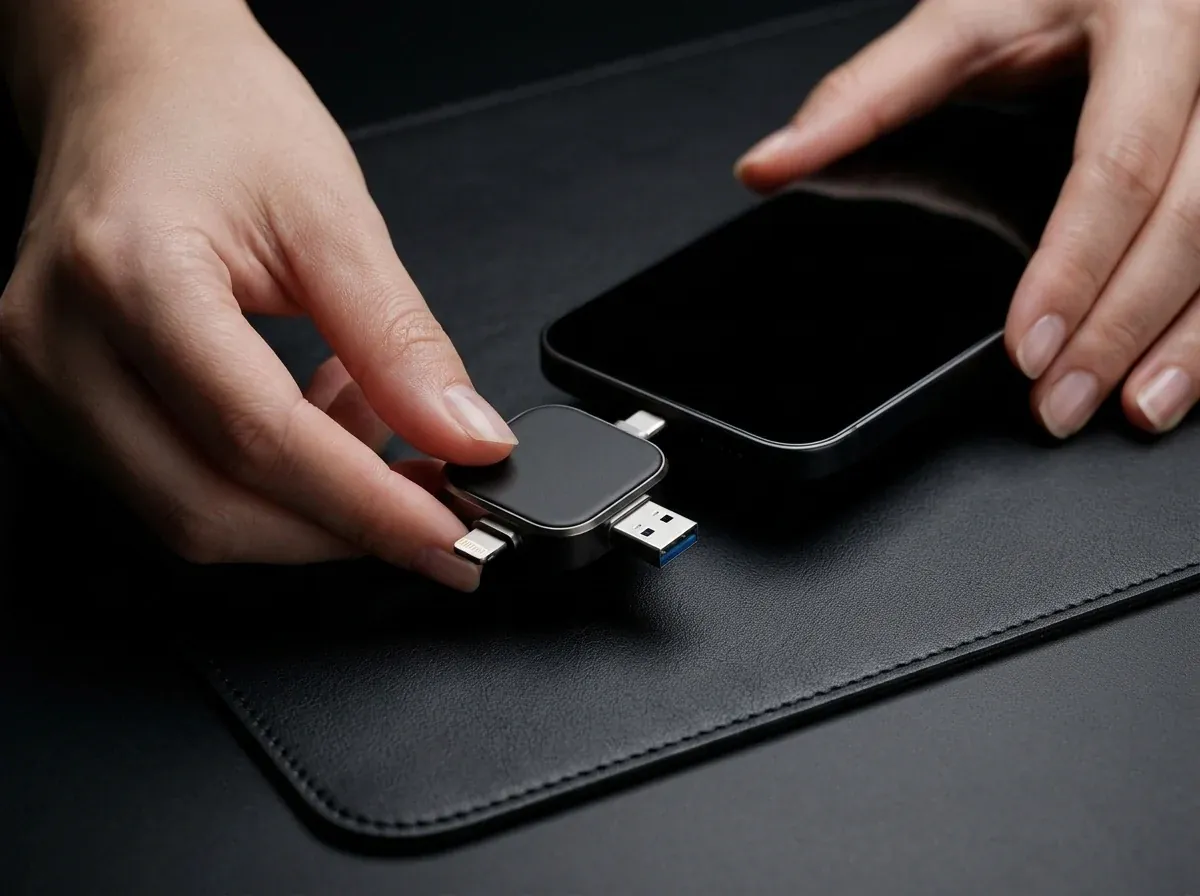
Recovstick Pro plugged into a sleek laptop beside a smartphone on a dark leather desk mat

Monthly cloud storage tiers quietly bill your credit card twelve times a year forever—and if you ever cancel or lose internet access while traveling, your own video library sits out of reach. Recovstick Pro is a one-time hardware purchase that puts physical control back in your hands.

To help households organize backups by person or keep a second offsite copy in a safe, our multi-unit packages cut up to 57% off standard retail: pick a single Recovstick Pro at $55.54 (half off $111.09), the two-drive set at $52.77 per unit ($105.54 combined, 53% savings), our popular three-drive Recommended Deal at $49.99 per unit ($149.97 combined, 55% savings), or the four-drive family pack at $47.21 per unit ($188.84 combined, 57% savings). Every order includes our 30-day money-back trial and tracked courier shipping to US, Canadian, and German addresses. Because each vault operates without user accounts or recurring licenses, every drive in your bundle is ready for immediate use. You never have to worry about a forgotten monthly subscription locking you out of your own family albums.

Most Popular: 3× Recovstick Pro Bundle at $49.99/ea (55% off + 30-Day Money-Back Guarantee).

Specifications

Recovstick Pro Technical Specifications

Verified port interfaces, operating system support, and hardware details.

Hardware Model
Recovstick Pro Quad-Interface Solid-State Backup Vault
Integrated Tips
Four built-in ends: Apple Lightning, Type-C, Micro-USB & USB-A
Apple Handset Support
Works with iPhone & iPad models on iOS 13+ via free App Store utility
Android Handset Support
Works with OTG-enabled Android phones & tablets via Type-C or Micro-USB
Desktop & Laptop Support
Driver-free mounting on Windows PCs and Apple Macs via USB-A or Type-C
Compatible File Formats
Camera-roll photos, 1080p/4K video clips, audio files, and PDFs
Transfer Architecture
Direct offline hardware bus transfer (operates in Airplane Mode)
Recurring Billing
Zero monthly cloud subscriptions or storage rent
Enclosure Build
Pocket-sized dark alloy frame with matte center grip
Fulfillment Coverage
Tracked regional courier delivery to US, Canada & Germany
Customer Guarantee
30-day money-back trial · +1 (888) 614-2980

In the box

Everything Included With Your Recovstick Pro Order

Packed securely and ready to plug into your devices right out of the box.

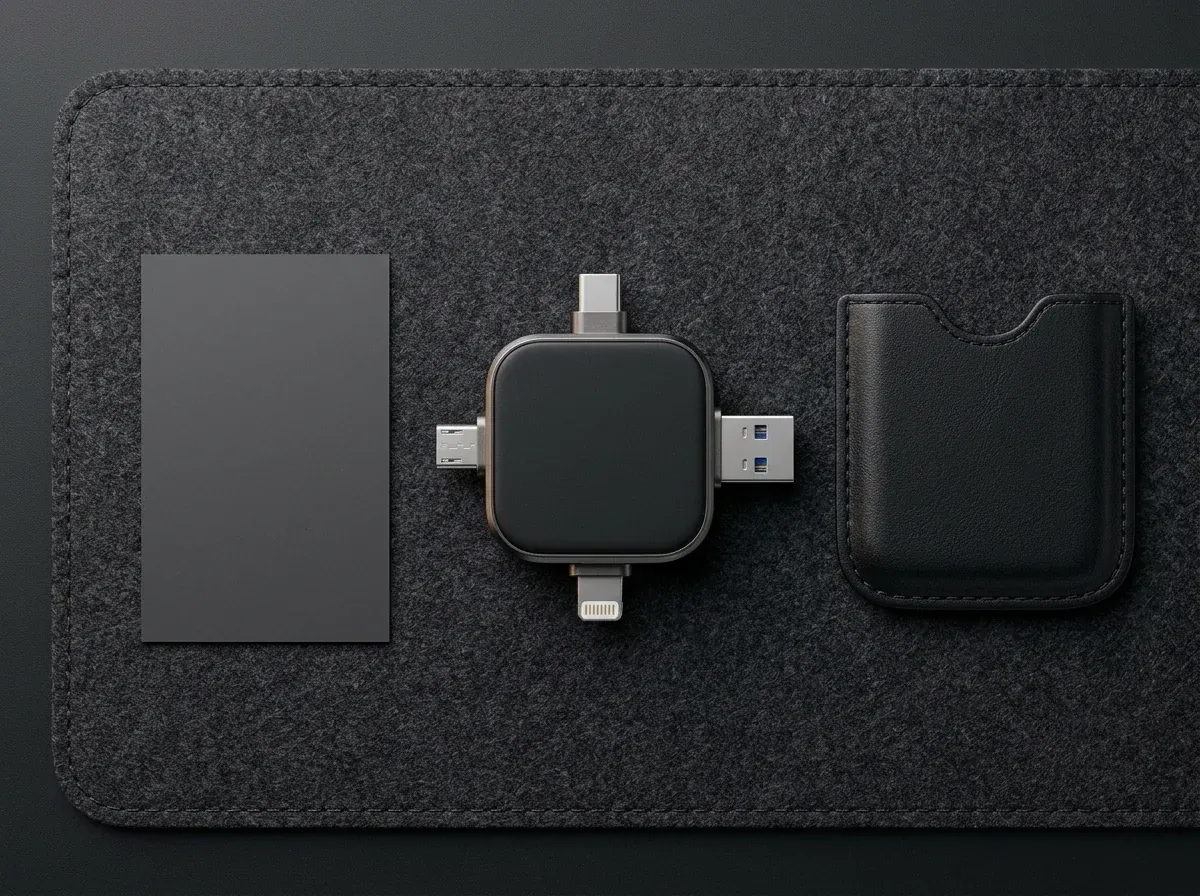
Recovstick Pro 4-in-1 flash drive, retail presentation box, and printed quick-start guide on a dark surface
  • 1

    Recovstick Pro 4-in-1 Hub

    Main Drive

    Pocket-sized flash backup drive with four permanent metal connectors.

  • 2

    Quad Connector Array

    4 Ports

    Built-in Lightning, USB-C, Micro-USB, and USB-A tips—zero loose adapters.

  • 3

    iOS & Android Setup Guide

    Manual

    Clear instructions for the iPhone companion app and Android OTG Files app.

  • 4

    30-Day Guarantee Protection

    Coverage

    Backed by our 30-day money-back trial and US/CA/DE customer care desk.

Setup

How to Offload Your Camera Roll in 4 Simple Steps

From "Storage Full" warning to gigabytes of free space in minutes.

  1. Insert the Matching Connector

    Pick the Lightning, Type-C, Micro-USB, or rectangular USB-A end and seat it firmly into your handset, tablet, or computer socket.

    Insert the Matching Connector
  2. Start Companion Utility or File Manager

    On Apple iOS 13+ devices, launch the free App Store utility; on OTG Android handsets, open the pre-installed Files manager.

    Start Companion Utility or File Manager
  3. Check Off Albums & Move Files

    Mark the camera-roll folders, 4K clips, or PDF records you wish to preserve and copy them onto the solid-state vault.

    Check Off Albums & Move Files
  4. Eject & Reclaim Handset Memory

    Unplug the vault, remove the duplicated clips from your phone memory, and connect to any Mac or Windows PC whenever needed.

    Eject & Reclaim Handset Memory

Side by side

Recovstick Pro vs. Cloud Plans & Ordinary Thumb Drives

Why a 4-port physical backup hub beats recurring subscriptions and single-port sticks.

CapabilityRecovstick ProMonthly Cloud StorageUSB-A Thumb StickCable Sync to PC
All 4 Ports Built In (Lightning/USB-C/Micro/USB-A) Yeszero adapters needed No Nofits USB-A only Noneeds multiple cords
Zero Monthly Subscription Bills Yespay once, own forever Noendless monthly fees Yes Yes
Works Offline on Flights & Remote Trips Yes100% local bus speed Norequires fast Wi-Fi Yes Yes
Plugs Directly Into iPhone (iOS 13+) & Android Yesdirect port connection Variesslow background upload Noneeds dongle Norequires computer
Rescues Files From Old Micro-USB OTG Phones Yesdedicated Micro-USB tip Variesif old phone connects No Variesif old cable works
100% Private Physical Ownership Yesstays in your pocket Nostored on remote server Yes Yes

Comparison reflects verified Recovstick Pro hardware versus standard cloud plans and single-interface flash drives.

Owner reviews

Rated 4.8/5 Across 3,758+ Verified Recovstick Pro Buyers

Real feedback from travelers, parents, and multi-device households.

4.8

4.8 out of 5 · 3,758+ verified buyer reviews

Claim Up To 57% Off
  • Saved Our Vacation When My iPhone Hit 100% Full in Italy

    Halfway through our ten-day trip in Rome, my iPhone refused to record another video unless I deleted old photos or upgraded my cloud plan over spotty hotel Wi-Fi. Thankfully I had packed the Recovstick Pro in my camera pouch. I plugged the Lightning tip into my phone, opened the companion app, and moved 18 gigabytes of 4K sightseeing clips onto the drive while riding the train. When we got home, I plugged the USB-A side straight into my desktop PC and every video was there in full quality. Having all four connectors built right into the metal frame meant I could back up both my phone and my wife’s tablet on the same afternoon.

    Daniel K.Chicago, IL · October 2026 Verified Buyer · 3× Bundle
  • Finally Pulled 6 Years of Baby Photos Off Two Old Android Phones

    My wife and I had two older Samsung phones sitting in a desk drawer with Micro-USB ports and broken Wi-Fi antennas, holding hundreds of baby pictures we thought were stuck forever. Because both phones supported OTG, we plugged the Micro-USB side of Recovstick Pro directly into each phone, opened the Android Files app, and copied every single folder in twenty minutes. Then we flipped the drive around and plugged the USB-C end into our new MacBook Air. Worth every penny just for rescuing those memories. Even the oldest videos from five summers ago transferred without a single corrupted frame or missing timestamp.

    Patrick M.Toronto, ON · October 2026 Verified Buyer · 2× Bundle
  • So Much Easier Than Emailing Videos Between iPhone and Windows

    I use an iPhone 15 with USB-C, my husband uses an older Lightning iPhone, and our home office computer is a Windows tower with standard USB-A ports. Trying to share full-length youth soccer videos between our phones and the PC used to be a nightmare of compressed links. Now we just plug Recovstick Pro into each phone after the weekend tournament, copy the clips over, and plug it into the PC. Having all four connectors permanently attached means nobody ever loses an adapter. Our coach now keeps one in the team equipment bag so parents can grab game highlights right at the field.

    Stephanie R.Minneapolis, MN · October 2026 Verified Buyer · 3× Bundle
  • No More Monthly Cloud Storage Charges on My Credit Card

    I was tired of paying every single month just to store old photos and home renovation videos in the cloud, especially since I prefer keeping our family albums and scanned tax PDFs private at home. I ordered the 4-pack of Recovstick Pro drives so I could organize one drive for family photos, one for financial records in our fire safe, and give the other two to my parents. At $47.21 per drive on the 4-pack, it paid for itself in less than a year. Being able to label each physical drive and lock it in our home cabinet gives me far more confidence than a password-protected website.

    Lukas B.Munich, DE · November 2026 Verified Buyer · 4× Bundle
  • Super Compact Metal Build That Lives on My Keyring Pouch

    What impressed me first is how solid the matte-black hub feels in your hand—it is smaller than a car key fob yet all four metal connectors click into place with zero wobble. I use it almost every day to move large drone video files and PDF blueprints between my iPad Pro, my Android work phone, and clients’ Windows laptops on job sites where there is no Wi-Fi. It transfers big files fast without burning a single megabyte of mobile hotspot data. My coworkers on the construction crew were so impressed by how fast it moved blueprint folders that two of them ordered their own.

    Trevor S.Dallas, TX · November 2026 Verified Buyer · 1× Drive
  • Grandparents Loved How Simple It Was to View Wedding Photos

    My parents live in a rural area with very slow internet and hate logging into cloud photo websites. After my sister’s wedding, we used the 3-pack of Recovstick Pro drives to load every single high-resolution wedding photo and video from our iPhones and Androids onto one drive and mailed it to them. They plugged the USB-A side straight into their laptop and watched the whole ceremony with zero buffering. Simple, private, and completely frustration-free. My mom now keeps the drive right beside her laptop so she can look through family albums whenever she wants. Even my dad, who usually avoids computers, found plugging it in completely effortless.

    Natalie H.Vancouver, BC · November 2026 Verified Buyer · 3× Bundle

Honest fit check

Who Gets the Most Out of Recovstick Pro?

Check compatibility with your household phones, tablets, and computers.

Built for your pocket if you…

  • Own an iPhone or iPad running iOS 13+ or an OTG-capable Android phone and want to clear "Storage Full" alerts fast
  • Want to pull old family photos off a legacy Micro-USB Android phone and view them on a modern USB-C or USB-A computer
  • Prefer keeping private photos, videos, and tax PDFs on physical hardware without paying monthly cloud fees
  • Travel frequently and want to offload heavy 4K video clips on airplanes or in areas without Wi-Fi

Keep in mind before ordering…

  • Apple devices running iOS 12 or older: iPhones and iPads must run iOS 13 or later (and use the free companion app) to transfer files with Recovstick Pro.
  • Android phones without USB OTG support: Android devices (USB-C or Micro-USB) must support USB On-The-Go (OTG) in their system settings to mount external flash storage.

Up to 57% off today

Select Your Recovstick Pro Package & Save Up to 57%

Every order includes our 30-Day Money-Back Guarantee and tracked dispatch to the US, Canada, and Germany.

1 Choose a bundle

  • 30-Day Money-Back Guarantee on every order
  • Encrypted checkout for United States, Canada & Germany shoppers
  • Ships via tracked courier straight to your doorstep

Bundle pricing summary: 1 unit at $55.54, 2 units at $52.77 each, 3-unit Recommended Deal at $49.99 each, and 4 units at $47.21 each (German orders process in EUR).

FAQ

Frequently Asked Questions About Recovstick Pro

Helpful details on iOS/Android compatibility, file types, offline transfers, and returns.

Which phones, tablets, and computers work with Recovstick Pro?

Recovstick Pro features four built-in connectors—Apple Lightning, USB-C, Micro-USB, and standard USB-A. It works with iPhones and iPads running iOS 13 or newer, OTG-compatible Android phones and tablets (via USB-C or Micro-USB), Windows PCs, and Apple Mac computers. Having all four industry-standard tips permanently mounted on one hub means you never have to hunt for a separate adapter dongle.

Do I need to install an app on my iPhone or Android phone?

On iPhones and iPads (iOS 13+), you install a free companion app from the App Store once so iOS can browse and copy your photo library to the drive. On OTG-supported Android phones, no extra app is needed—simply use your phone’s built-in Files manager to copy and paste folders. Both methods let you preview thumbnails, choose specific folders, and monitor transfer progress right on your screen.

Does Recovstick Pro require Wi-Fi, cellular data, or a monthly fee?

None at all. Every transfer happens offline directly through your device’s charging port at local hardware speeds, even if your phone is in Airplane Mode. There are zero monthly cloud subscriptions or account logins required to use the drive. Because no internet connection is ever used, your battery lasts longer and your mobile data allowance stays untouched.

Will my photos and 4K videos keep their original resolution?

Yes. Unlike messaging apps or budget cloud plans that compress video bitrates and strip metadata, Recovstick Pro copies your original image and video files bit-for-bit onto solid-state flash memory so they look just as sharp on a big-screen computer or TV. Every original timestamp, location tag, and frame rate remains intact when you open the files later on your computer.

How do I check if my older Android phone supports USB OTG?

Most Android phones made in recent years enable USB On-The-Go (OTG) automatically when you plug the USB-C or Micro-USB tip in. On some older handsets, you can simply toggle "OTG Connection" on inside Settings -> Additional Settings or Connected Devices. Once enabled, your handset powers the flash hub automatically through the charging port whenever you plug it in.

Can I move files from an iPhone to a Windows PC or Android device?

Yes. Because all four connectors read and write to the same shared flash memory pool inside Recovstick Pro, you can copy photos or PDFs from an iPhone using the Lightning or USB-C tip and immediately open them on a Windows PC or Android tablet using the USB-A or USB-C tip.

Are my private documents and family photos safe on the drive?

Because Recovstick Pro is 100% offline physical storage, your files are never uploaded to a remote third-party server where accounts can be breached. Only someone physically holding your drive can plug it in and access the files stored on it. Storing your most important family albums and scanned records on physical media gives you a true air-gapped archive at home.

Why do so many customers choose the 3-pack or 4-pack bundle?

Having multiple drives lets you keep one Recovstick Pro in your travel bag for everyday phone offloads, store a second backup copy in a home safe, and share a third drive full of family photos with parents or grandparents—while saving up to 57% off single-unit pricing. Each drive comes individually boxed with its own quick-start leaflet so you can hand extras straight to family members.

Which countries do you ship to and how do I track my parcel?

We dispatch orders directly to customers in the United States, Canada, and Germany. Once your package is handed over to the regional courier, you will receive an email confirmation with a tracking number to follow your delivery. Every parcel travels via regional ground courier, and you can check your live courier status anytime from your confirmation email.

How does the 30-Day Money-Back Guarantee work?

Every order is protected by a 30-day trial starting from the day your parcel arrives. Test Recovstick Pro across your phones, tablets, and computers, and if you are not satisfied for any reason, contact support@recovstickpro.net or +1 (888) 614-2980 within 30 days for return instructions and a full refund. Our customer care staff replies quickly by phone or email Monday through Friday to assist with any setup or return request.

Up to 57% off today

Free Up Your Phone Storage in Minutes With Recovstick Pro

Skip recurring cloud bills and tangled adapter cords. Select your 4-in-1 Recovstick Pro bundle now to save up to 57% with our 30-Day Money-Back Guarantee.

Claim Up To 57% Off — View Packages
−57% Up to 57% offFrom $47.21 per unit Claim Up To 57% Off — Order Now